Monday, October 26, 2009

How to customize the categories

Press 'Edit' in the top right of the main screen


You can add a new, edit, delete or move the categories


Wednesday, August 12, 2009

Handy CookBook connection help

Requirement

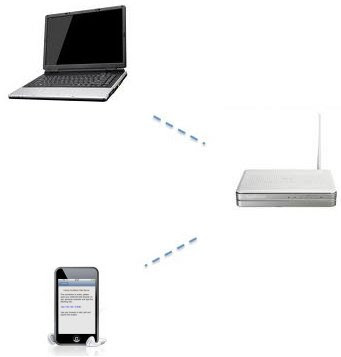
The web inteface makes use of the WiFi networking capabilities of the iPhone and iPod Touch to view, edit, insert and backup the recipes with a desktop computer.

All the recipes are stored in the device.

Before you can use the web interface, you will have to connect both your mobile device, and the computer, to the same WiFi network.

You can use the PC with the web browser like Mozilla Firefox, Safari, Internet Explorer 7-8 (with some limitation on the length of text inserted)

It is not required internet access.
Connection

From the main screen of the App tap the icon

The App will show a page like this:

Leave this page opened during the connection.

Go to on your PC and open you preferred browser.

Type the link in the browser exactly as you can see in the iPhone page


Troubleshooting


  • The iPhone and the your computer must share the same access point. They need to be on the same sub-net.
  • Type in the "http://" part of the URL provided for Wi-Fi Connect. Some browsers (such as Internet Explorer) may not accept the address with out the "http://". Type also :8080 at the end.
  • Make sure that your phone does not "go to sleep" and disconnect from the network during the connection. If your phone goes to sleep, then the Wi-Fi connection will be lost.

  • Try to disable the firewall on your computer.

Saturday, August 8, 2009

Special thanks


I have to give a special thanks to John Giordano for the suggestion of the english text description of the App.
His advice was really useful.

Wednesday, July 15, 2009

Why so long time for release 1.6?

The long time is due a optimization for manage a very large database.
I'm current testing the App with a database of more than 18000 recipes.
Thank's for your patience.

Wednesday, July 1, 2009

Long recipes description and Internet Explorer (ricette con descrizione lunga ed Internet Explorer)

There appears to be a limit in the text length can be sent with Internet Explorer (for HTTP GET protocol). If You have some problem to import a long recipe with IE, try to use Mozilla Firefox.

Sembra esserci un problema di lunghezza del testo che può essere inviato con Internet Explorer (il limite sembra sul comando GET del protocollo HTTP). Se avete difficoltà ad inserire ricette con lunghe descrizioni provate ad usare Mozilla Firefox.

Friday, June 26, 2009

Breaking News (version 1.6 coming soon)

I'm working to support the import of mmf files (Meal Master format) and optimizing the database search function.

Monday, June 15, 2009

What new in the 1.6 release (coming soon)

The most important features will be:

- import mxp files (MasterCook)
- 2 new fields: 'notes' and 'cooking time'

the 1.5 version has been tested with all the beta of firmware 3.0.
The App will be submitted to Apple only when I'm reasonably sure that is stable.